
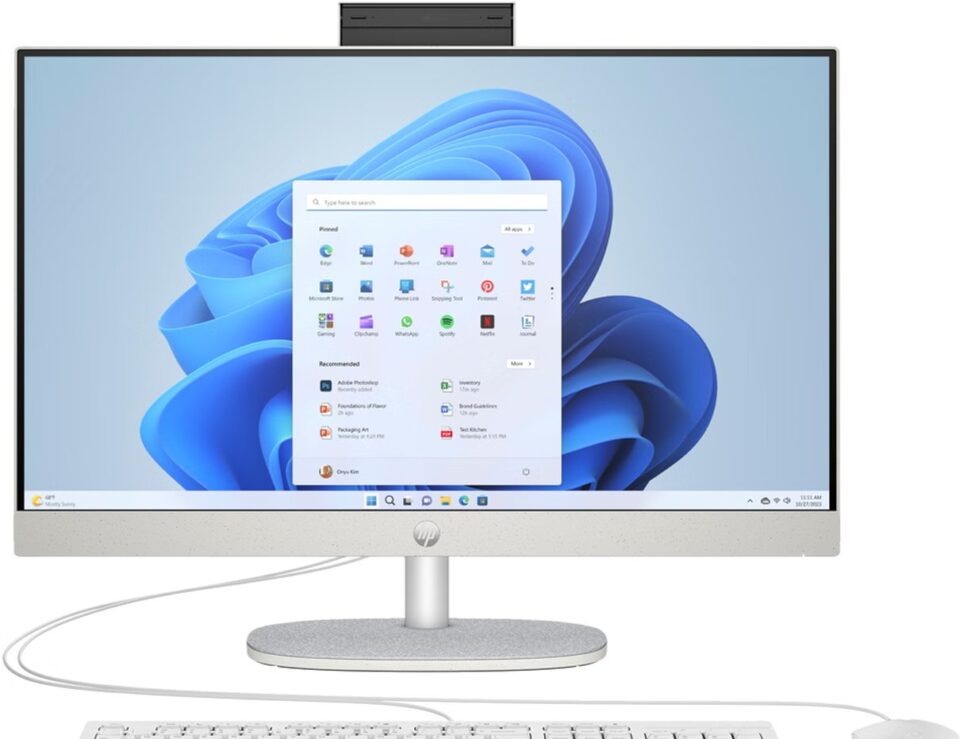
A desktop can be powerful enough for everyday work and still feel like too much furniture. The HP 24-cr0035nl takes a simpler route by putting the computer behind its display.
That all-in-one format sounds appealing for a shared family desk, a study corner or a home office where surface space matters. The real question is whether this specific configuration gives you the screen and storage you need without adding parts you will not use. Check the HP 24-cr0035nl listing as we assess that fit.
We reviewed the Italian HP Store product information for this model, alongside the store’s other desktop formats. Here is what its listed specifications suggest, where the trade-offs sit and what to confirm before choosing it.
This article contains affiliate links. If you buy through them, we may earn a commission at no extra cost to you.
Before you read on
- The HP 24-cr0035nl combines a 23.8-inch Full HD screen and desktop PC in one footprint.
- HP lists a 512 GB PCIe NVMe SSD and a 99% sRGB display rating for this configuration.
- It suits a tidy household desk better than a setup that needs frequent component changes.
- The OmniStudio 27 offers a larger all-in-one direction; the OmniDesk M02 separates tower and screen.
- Confirm the processor, memory, included peripherals and delivery terms on the Italian product page.
What does the HP 24-cr0035nl put on one desk?
This is an all-in-one desktop: the computing hardware sits in the display unit rather than in a separate tower. For a household that wants a permanent computer in one place, that can reduce visible equipment and simplify where the setup lives. The product page lists a 23.8-inch Full HD display, which is a practical middle ground for documents, browsing, video calls and general home use.
The main appeal is the arrangement itself. There is no tower to find room for beside or beneath the desk, and the display is already part of the computer. The HP 24-cr0035nl all-in-one makes that integrated format its central proposition. That makes the HP 24-cr0035nl a more coherent choice for a shared workstation than buying a compact PC and separately matching a screen. For a closer look at the exact Italian configuration, see the HP 24-cr0035nl product page.
Does the screen and storage fit everyday work?
HP lists the display at 99% sRGB, alongside its Full HD resolution. That is a useful detail for routine content viewing and office tasks, though this rating alone is not a promise of professional color accuracy. Recheck the display details on HP Store against your work. Buyers who edit photographs for paid work should compare panel details, calibration options and the requirements of their own workflow before treating it as a creative monitor. The listed display specification is a starting point, not a substitute for that check.
This configuration pairs an Intel Core i5-1335U processor with 8 GB of DDR4 RAM and a 512 GB PCIe NVMe SSD, according to HP. The 8 GB memory allocation is the detail to weigh most carefully: it may be a tighter fit for heavier multitasking than for everyday browsing, documents and study. Check whether the memory can be expanded before buying if your workload is likely to grow. It is enough to make this configuration plausible as a general family or study computer; people with large video libraries or extensive project archives may still prefer external storage or a different capacity. Compare the listed 512 GB version with the live options before ordering. Check whether the exact product page lists any configuration options before deciding.
- Shared home use: one screen for household administration, web browsing and video calls.
- Study: a fixed location for assignments, research and common productivity apps.
- Everyday office: a straightforward screen-and-computer setup for documents and online meetings.
- Color-critical work: compare panel and calibration details with your software and output needs first.
Use these as fit indicators, not performance guarantees. HP lists an Intel Core i5-1335U and 8 GB RAM for this configuration; confirm those details, the ports and included peripherals on the live HP Store product listing.
Which limits should you weigh before choosing it?
Full HD is suitable for routine tasks, but it offers less workspace than a sharper monitor. If you keep several dense windows open, compare the larger OmniStudio 27 and measure your desk before choosing.
Second, all-in-one simplicity comes with fewer obvious paths to change the setup later. A separate display can be reused when a computer is replaced; a built-in display cannot be detached and repurposed in the same way. A keyboard and mouse may also be separate from the core product, so check the box contents instead of assuming accessories are included.
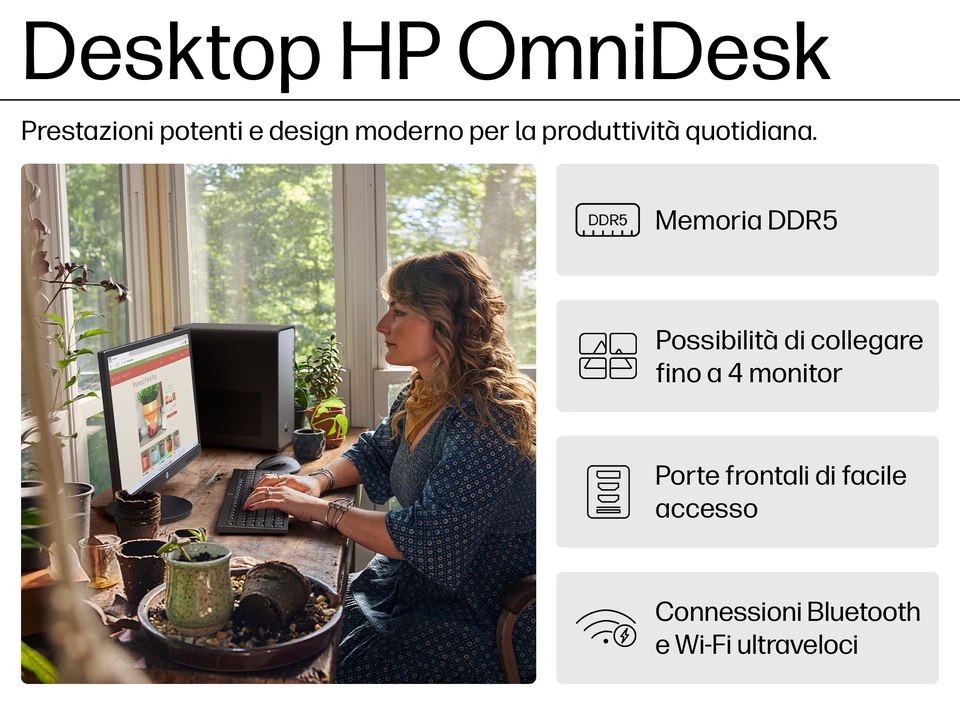
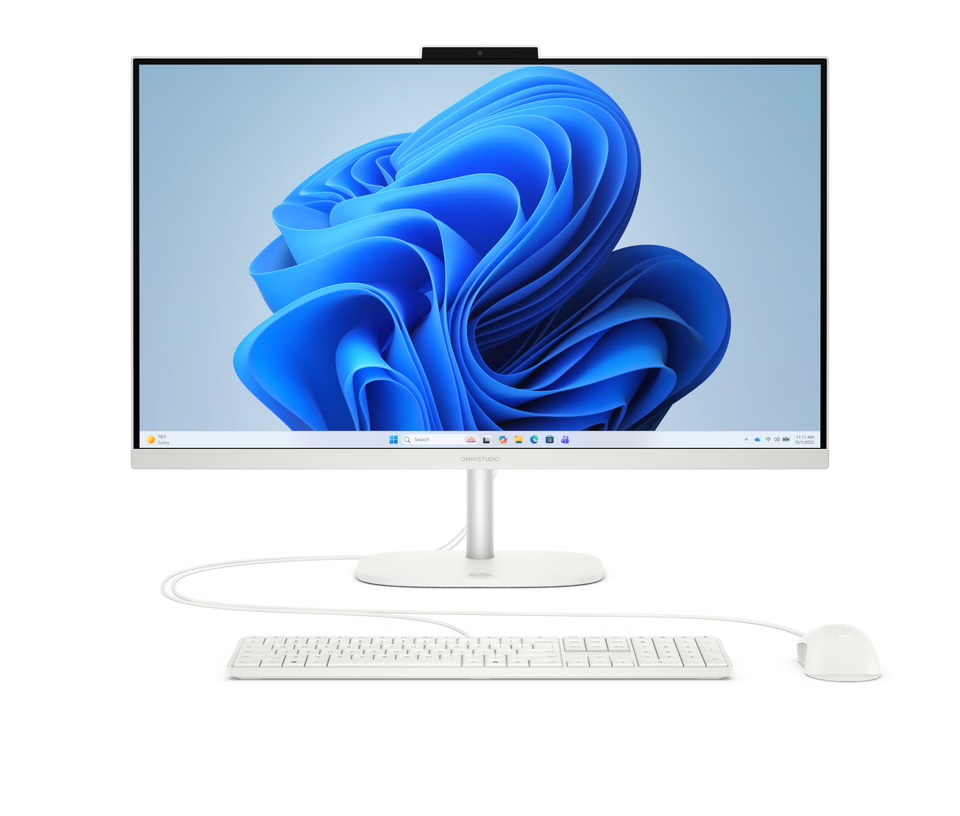
HP’s range helps show the decision. The HP OmniStudio 27-cv0002nl is another all-in-one with a larger 27-inch class display, which may suit buyers who value more screen area. By contrast, the HP OmniDesk M02-0020nl is a tower PC, so it leaves the display choice separate. These are different formats rather than automatic upgrades: compare their exact configurations and the cost of any monitor or accessories needed. Review the OmniStudio product details and OmniDesk specifications alongside the model under review.
- Choose the 24-cr0035nl when an integrated, compact desktop is the priority.
- Consider the OmniStudio 27 if screen area matters more than keeping the display compact.
- Look at the OmniDesk M02 if you want to choose or reuse a separate monitor.
What are the strengths and compromises?
- Strength: one integrated unit keeps a fixed home setup visually straightforward.
- Strength: the 23.8-inch Full HD screen and 512 GB SSD cover familiar household computing needs.
- Compromise: 8 GB RAM may constrain heavier multitasking, so confirm upgrade options and software needs.
- Compromise: the built-in display is not a separate monitor you can reuse if you later replace the computer.
How should you compare the buying details?
Compare the exact SKU, not a nearby model name. Check processor, memory, storage, display, ports, included peripherals and warranty or service options.
The Italian HP Store separates its catalogue by home, business and gaming use and lists support services. Before checkout, review availability, delivery, returns and service coverage on the live product page.
Price will depend on the selected configuration and any extras rather than the all-in-one label alone. We do not quote a fixed amount here because product listings change. Use the current HP 24-cr0035nl listing to check what is available and compare it with the larger OmniStudio option before settling on a format.
Who is this all-in-one likely to suit?
The strongest fit is someone who wants a stationary household computer with a relatively simple footprint. A family can keep it in a shared room; a student can use it as a dedicated study station; a home worker can use it for standard office tasks when a laptop is not the preferred daily machine. In each case, the screen and computer arrive as one matched product.
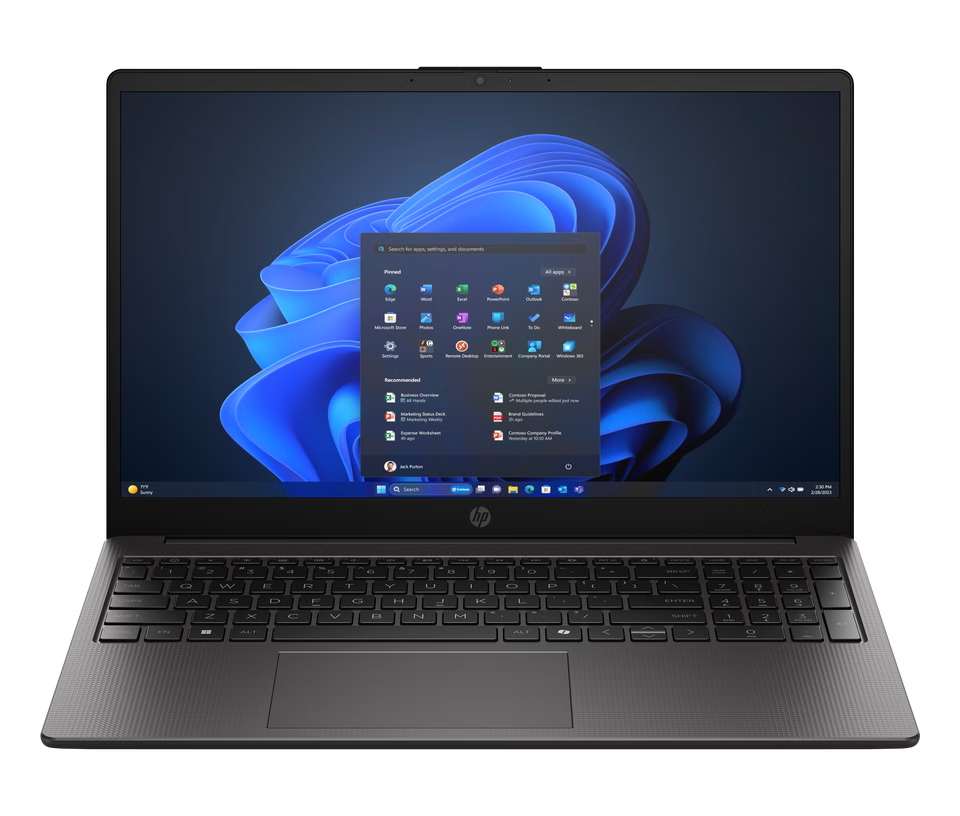
It is less suited to frequent upgrades, color-critical work or carrying between rooms. For portability, compare the HP 250 G10 notebook; for a separate display, consider the OmniDesk M02 tower. Check ports and graphics for multi-display work.
Before purchasing, a short checklist can prevent the most common mismatch:
- Confirm the product code ends in the exact configuration you intend to buy.
- Check memory, processor and storage against your real applications.
- Confirm included keyboard, mouse, webcam features and cables on the listing.
- Measure the available desk area and note where power and network connections sit.
- Compare the live delivery, return and support terms for the Italian store.
Frequently asked questions
Can the HP 24-cr0035nl replace a separate desktop tower?
Yes, its all-in-one design places the computer in the display unit, so a separate tower is not required for the basic setup. Check the product page for the exact peripherals and cables included.
Is the HP 24-cr0035nl a good fit for photo editing?
HP lists a 99% sRGB display rating, but the available product details should be compared with the color accuracy and resolution your editing work requires. It is easier to recommend for general home use than color-critical production.
What should I compare before ordering from the Italian HP Store?
Confirm the model code, processor, memory, storage, display details, box contents and support terms. Then compare the current configuration with the OmniStudio 27 if you want a larger all-in-one, or the OmniDesk tower if you prefer a separate screen.
Our recommendation
The HP 24-cr0035nl is worth shortlisting when you want a single, space-conscious desktop for shared home use, study or everyday office tasks. Revisit the exact HP all-in-one listing to match the SKU against your checklist. Its 23.8-inch Full HD screen and 512 GB NVMe SSD make the listed configuration easy to understand, while the 99% sRGB figure is a useful screen detail to compare against your needs.
Its central limitation is long-term flexibility: the integrated screen and computer are a package, and the Full HD panel may not suit every demanding workflow. If that trade-off works for your desk, check the exact SKU and current configuration on the Italian store before deciding.