
Choosing a 3D printer or its supporting materials can quickly become a compatibility question: which store gives you enough choice, and how much research must you still do yourself?
This research review looks at 3D Prima Technology through its UK store pages. The range is broad, but breadth is not a fit guarantee; breadth alone does not settle whether a particular machine or material fits a project.
We reviewed the retailer’s product information and store guidance; we have not tested or purchased the products. Specifications and availability can change, so the linked product pages are the place to confirm current details.
This article contains affiliate links. If you buy through them, we may earn a commission at no extra cost to you.
Before you read on
- The UK store covers printers, filament, scanners, laser equipment and maker accessories.
- Creality Hi Combo is a printer option; check the product page for package contents and compatibility.
- Creality Pika 3D Scanner addresses object capture rather than printing, with workflow details to verify.
- PrimaValue PLA+ adds a material choice, but suitability depends on printer settings and intended use.
What does 3D Prima Technology offer UK buyers?
3D Prima Technology presents itself as a specialist retailer spanning machines and the materials and accessories that support them. Its UK site links to 3D printers, filament and resin, scanners, laser equipment and spare parts. That breadth is useful when a buyer wants to compare categories in one place instead of starting from a single machine listing.
There is also practical store information to consult, including delivery, warranty and returns pages. The homepage advertises UK delivery terms, while the policy pages are the sensible source for the conditions that apply to a specific order. Those pages are a strength in the research process, though readers should check the current wording before relying on a general headline.
The trade-off is more comparison work: a wide catalogue puts more responsibility on the buyer. Models can vary in build volume, material compatibility, included accessories and software. We would treat each listing as a starting point, then confirm the manufacturer’s requirements and the store’s order terms. The site’s specialist focus helps with discovery; it cannot decide whether a machine suits your particular workload.
- Start with the output you need: prototypes, functional parts, miniatures or scanned objects.
- Check materials and supported processes before settling on a printer.
- Read the delivery, warranty and return conditions on the UK site.
Is the Creality Hi Combo a good first machine to research?
The Creality Hi Combo gives buyers a concrete printer page to assess within the retailer’s range. The useful question is what the package includes, not whether a combo sounds comprehensive and whether those components fit your intended workflow. Review the linked Creality Hi Combo listing for its exact specifications, bundle contents and any stated compatibility notes.
For a first machine, a package can simplify the shopping list if its included parts match the plan. It can also create assumptions to verify: a bundle name does not tell you everything about assembly, software, maintenance or the materials you intend to run. Compare the included components with the manufacturer documentation, and look for clear support information before treating any apparent convenience as a real advantage.

Our assessment: this is a sensible candidate for readers who want to investigate a named printer package from a specialist seller. It is a weaker fit for anyone who has not yet established required print size, materials or level of setup. Browse the listing, but make those requirements the filter rather than the bundle label. The Creality Hi Combo page should answer those checks before it earns a shortlist place.
When does the Creality Pika 3D Scanner make more sense?
A scanner solves a different problem from a printer. The Creality Pika 3D Scanner is relevant when capturing the shape of an existing object is part of the workflow, perhaps before editing or reproducing it. Buyers should check the listing for supported capture conditions, software requirements, output formats and the level of detail it specifies. These details decide whether the scanner can join the rest of a maker setup.
It is easy to treat a scanner as a shortcut from object to finished print, but Capture is only one step. A scan may need cleanup, mesh repair or dimensional adjustment before it is useful. A buyer with a clear reverse-engineering or digitisation task has a better basis for judging the Creality Pika 3D Scanner than someone simply seeking a general-purpose printer.

The product page is therefore most useful as a specification checkpoint. Confirm what the manufacturer says about the scanner’s working range and supported computer setup, then compare that against the objects you expect to capture. The listing lets you evaluate a named option at 3D Prima Technology; it does not remove the need to understand the scanning workflow.
What does PrimaValue PLA+ add to the shortlist?
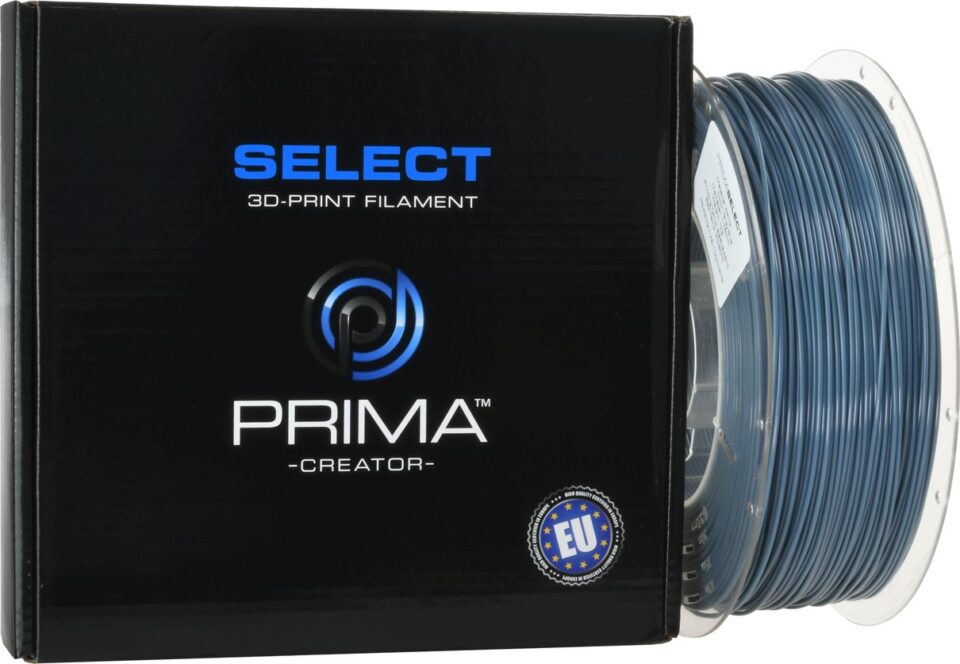
Filament is an ongoing ownership decision, and PrimaValue PLA+ offers a material-focused choice alongside the larger equipment listings. Before selecting a spool, confirm filament diameter, printer compatibility, recommended temperature range and storage guidance on the exact product page. The word PLA+ alone is not a complete technical specification, and formulations can differ across brands.
Material choice should follow the job. A beginner making decorative models may prioritise straightforward setup; a functional part may need more attention to heat, strength and environmental exposure. Check the product description and printer guidance together, instead of assuming that a named material will behave identically across machines. The PrimaValue PLA+ page gives a concrete place to make those comparisons.
For buyers already comparing a printer, this cross-category range is a useful convenience: the same retailer lists machines and consumables. It is not a guarantee that a particular spool is the right pairing, so check the machine’s accepted materials and profile requirements. Consider the PrimaValue PLA+ listing only after those fit questions have a clear answer.
- Match diameter and material requirements to the printer documentation.
- Check the recommended settings on the product page.
- Think about storage and the finished part’s working conditions.
Where does the store’s research experience fall short?
The catalogue’s main strength is range, while its main limitation is comparison work. A listing can provide model-specific information, but buyers still need to identify which specification matters for their project. With a printer, that may be build volume or supported materials; with a scanner, capture workflow and software; with filament, the material profile and intended application.
We would also avoid reading broad delivery or service statements as a substitute for the terms attached to a particular order. Check the UK delivery page, warranty and returns information, and product page together. This is especially relevant when equipment has a more involved setup or when an accessory is only compatible with a limited group of models.

That makes 3D Prima Technology a better fit for a considered shortlist than for someone expecting the store itself to make the decision. Its specialist range can help you locate options across the workflow, and its product pages give you specific models to investigate. The final comparison belongs to the buyer: needs, specifications and support terms should line up before ordering.
How much comparison work remains with the buyer?
- Write down the part size, material and finish you need, or the object you need to scan.
- Compare the product’s stated requirements with your workspace, computer and experience.
- Confirm package contents, compatible consumables and any required extras.
- Read UK delivery, warranty and returns terms for the exact purchase.
These checks make the retailer’s range easier to navigate. Start with the Creality Hi Combo if you need a printer package, the Creality Pika 3D Scanner if digitising objects is central, or PrimaValue PLA+ if consumable choice is the open question. Each name should lead to its own product information, so compare like with like.
Buyer questions on compatibility
Does 3D Prima Technology sell only printers?
No. Its UK range also includes filament, resin, scanners, laser equipment and related accessories. Check the product category and listing for the exact item you need.
Can I assume PrimaValue PLA+ works with any printer?
No. Confirm diameter, settings and material compatibility against both the filament listing and your printer documentation.
What should I verify on the Creality Pika 3D Scanner page?
Check the stated supported workflow, capture conditions, software and output details, then decide whether they match the objects you want to digitise.
Our recommendation
Worth considering for a focused shortlist. 3D Prima Technology offers UK buyers a specialist catalogue across machines, scanning and materials. We recommend using it to build a focused shortlist, then checking the product specifications and UK service terms carefully. The Creality Hi Combo, Creality Pika 3D Scanner and PrimaValue PLA+ show how different the decisions can be within one store.
The honest limitation is compatibility research remains essential, and product information is not hands-on evidence. If you know the task and are willing to verify details, the store is a useful starting point; if you need a fully guided match, establish your requirements before browsing.