
A work laptop has to be portable without making the screen, calls or connections feel like afterthoughts. The HP OmniBook 7 14-fr00004nlx looks designed around that balance, but its specification list also raises a practical checkout question.
This review looks at the Italian HP Store configuration and the features that matter for office tasks, study and working away from a desk. We focus on what HP lists, where the hardware seems most useful, and the trade-offs worth checking before choosing this model.
The configuration is unusually clear on paper: a high-resolution 14-inch panel, current Intel processor, useful call hardware and a stated warranty. The key caveat is easy to miss: the product page says the charger is sold separately, so the total setup depends on what compatible power equipment you already own.
This article contains affiliate links. If you buy through them, we may earn a commission at no extra cost to you.
Before you read on
- HP lists a 14-inch 3K display with 16:10 proportions, a 120 Hz refresh rate and 0.2 ms response time.
- The configuration pairs an Intel Core Ultra 7 255U with 16 GB RAM and a 512 GB SSD.
- A 5 MP IR webcam, face recognition, backlit keyboard and Wi-Fi 7 suit mobile work and video calls.
- The aluminum chassis, MIL-STD testing and included three-year warranty are notable ownership details.
- The charger is sold separately, so check the current product page and included accessories before checkout.
What does the HP OmniBook 7 14 offer for a workday?
The Italian listing identifies the configuration as the HP OmniBook 7 14-fr00004nlx, running Windows 11 Home with an Intel Core Ultra 7 255U, 16 GB of memory and a 512 GB solid-state drive. That combination makes the machine a reasonable candidate for browser-heavy work, documents, presentations, video calls and everyday multitasking. HP describes the processor as AI-boosted, but the listed integrated Intel graphics point to a general productivity role rather than a dedicated graphics workstation.
Memory and storage are fixed points to compare before ordering. Sixteen gigabytes should leave room for common work apps to stay open together, while 512 GB gives a practical local library for active projects. If you regularly keep large media archives or virtual machines on a laptop, check whether this capacity fits your workflow before settling on this configuration. See the official details for the HP OmniBook 7 14-fr00004nlx and confirm the selected specification at checkout.
The screen is one of the most specific reasons to consider it. HP lists a 14-inch panel at 2880 by 1800 resolution, a 16:10 aspect ratio, 120 Hz refresh rate and 0.2 ms response time. The taller format gives documents and web pages more vertical room than a standard widescreen layout, while the resolution and refresh figures make the display a stronger fit for detailed work and smooth scrolling. Those figures describe the panel, not a promise that every application or task will feel faster.
A 14-inch size is also a useful middle ground for commuting: enough room to work in split windows occasionally, while remaining more manageable in a bag than a larger desktop replacement. If screen area takes priority over carrying comfort, a 16-inch machine may suit better. If the priority is low carry weight, compare the lighter HP OmniBook 7 Aero 13-bg1004nl in the same regional store before deciding. The full display and configuration listing for the HP OmniBook 7 14-fr00004nlx is useful for checking those details side by side.
Are the camera and connections useful beyond the spec sheet?
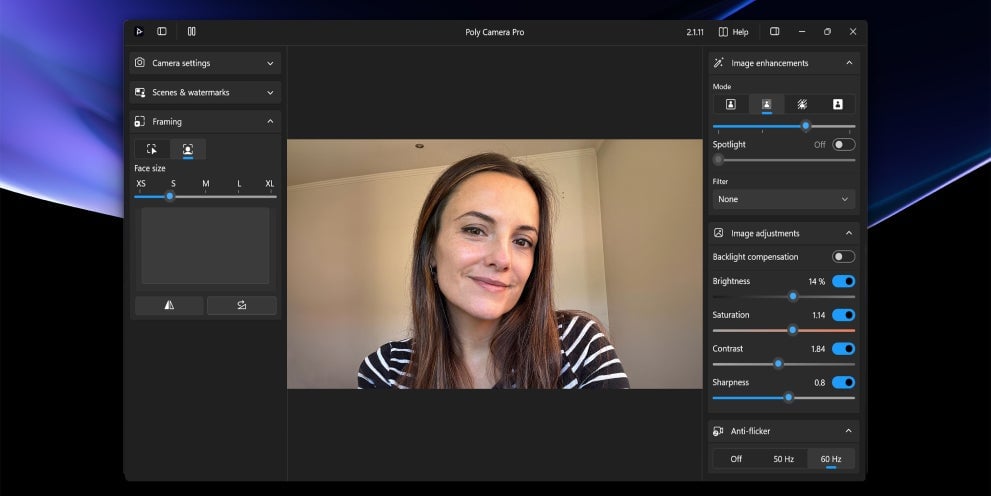
For hybrid work, HP lists a 5 MP infrared camera with face recognition and HDR, plus Poly Camera Pro software features. The IR sensor supports face-based sign-in, while HDR can help manage bright and dim areas in a video-call image. HP also describes digital microphones with background-noise reduction. Together, these details give the HP OmniBook 7 14-fr00004nlx a more considered call setup than a laptop listing that only names a basic webcam. The official HP OmniBook 7 product details spell out which camera features belong to this configuration.
There is a practical limit: software tools cannot fix a poor room, bad lighting or a weak network. The camera features matter most for frequent meetings and remote classes, and less for someone who rarely uses video. The listing also names Wi-Fi 7, which may be useful with a compatible router, but the benefit depends on the network equipment and service available where you work. Check the regional product page to confirm the wireless and camera specifications for the SKU you select.
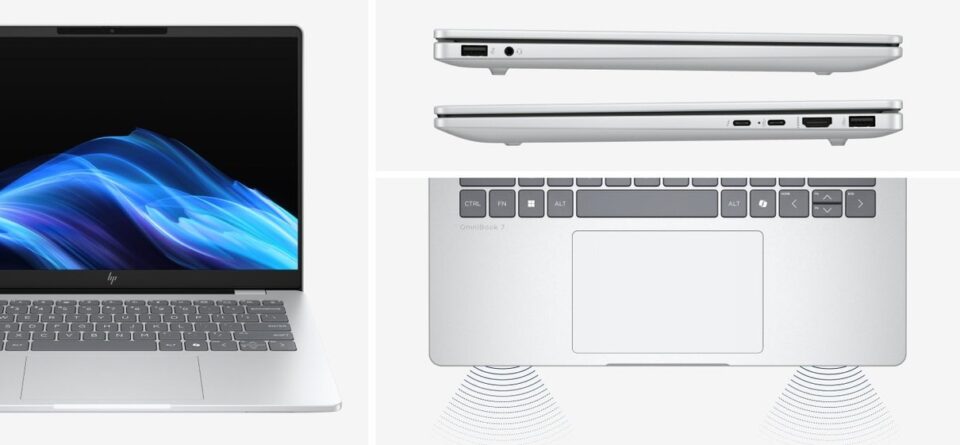
Port selection gives the machine more flexibility at a shared desk. HP lists Thunderbolt 4, HDMI 2.1, USB Type-A and USB Type-C, so connecting an external display or common peripherals should not require a stack of adapters in every situation. A backlit keyboard and precision touchpad are practical touches for late sessions, travel or desks where a mouse is not handy. Check the detailed port layout if your monitor or dock depends on a specific connector. HP’s OmniBook 7 listing provides the model-specific connection details.
For a business-managed fleet, the HP ProBook 4 G2i 14-inch is a useful point of comparison because HP positions that model with Wolf Pro Security Edition. That is a different emphasis from this consumer OmniBook listing. A home worker or student may prefer the OmniBook configuration’s display and camera details; an organization should compare fleet support and security requirements carefully.
What are the strengths and limits of this configuration?
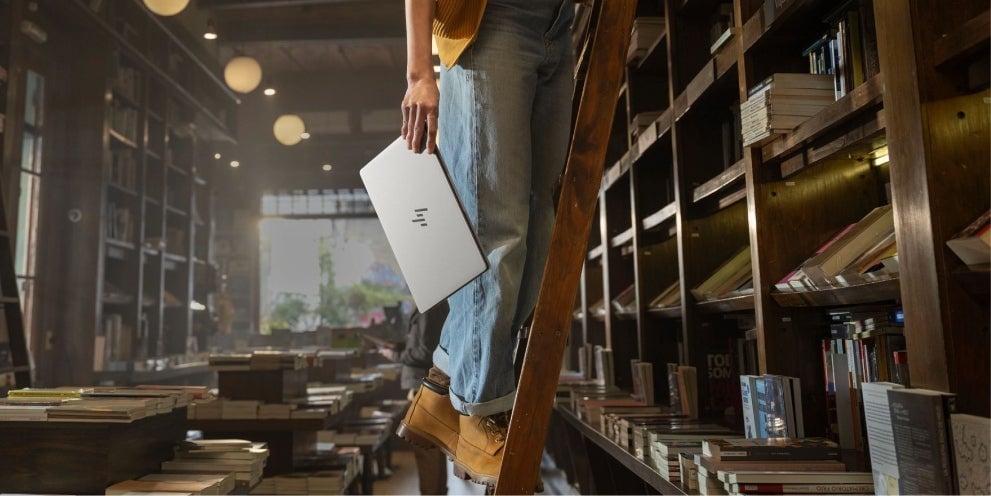
HP says the chassis and palm rest use aluminum and that the notebook has been tested to military standards as part of its total test process. These are useful signals for someone who carries a computer between home, campus and office, although standards testing does not make a device immune to accidental damage. The product listing also includes a three-year warranty, a meaningful ownership detail to review alongside the exact terms and service coverage. Confirm the warranty terms on the Italian HP Store product page before checkout.
On the strengths side, the package joins a detailed high-resolution panel with a strong call specification and a broad port selection. The three-year warranty and the store’s direct product information make it relatively easy to understand the configuration before purchase. The HP OmniBook 7 14-fr00004nlx is most persuasive when those pieces are all relevant to the same workday: moving between locations, frequent calls and a mix of browser and office apps.
- Strong screen specification: 3K resolution, 16:10 format and 120 Hz refresh on a 14-inch panel.
- Call-ready hardware: a 5 MP IR camera with face recognition and listed microphone noise reduction.
- Useful everyday connections: Thunderbolt 4, HDMI 2.1, USB-A and USB-C are listed.
- Checkout detail to account for: HP states that the charger is sold separately.
The biggest omission to factor in is the power adapter. The product page explicitly says charger sold separately, so a first-time laptop buyer may need to add a compatible charger or verify an existing USB-C power supply. The listed processor uses integrated graphics, which is appropriate for ordinary productivity but not the right specification to assume for demanding 3D work or gaming. The high-refresh display and detailed camera also matter less if your daily routine is mostly email and basic documents. Revisit the current OmniBook 7 configuration to see the included-items note.

Before checkout, make a short compatibility list rather than relying on the headline features alone:
- Confirm the product code and the included configuration match the model you intend to buy.
- Check whether you already have a suitable USB-C charger or need to add one.
- Compare your monitor, dock and storage needs with the listed ports and 512 GB SSD.
- Read the warranty terms and delivery information shown for the Italian store.
HP’s store page includes current availability, configuration details, accessories and buying information in one place. It is still sensible to check those details directly before placing an order because availability and product specifications can change. For a simpler everyday configuration, the HP OmniBook 5 LaptopAI 14-mh0040nlx sits lower in the OmniBook family; compare its current display, processor and bundled accessories rather than inferring the differences from the family name alone. You can return to the HP OmniBook 7 14 product listing to verify the exact bundle before choosing.
How does it compare with other HP OmniBooks?
The product families overlap, so the model name alone does not tell you which one fits. The HP OmniBook 7 14-fr00004nlx has a specific appeal for someone who values a 3K 120 Hz screen, a higher-resolution IR webcam and a wide port set. The available product page calls out those features clearly, which makes it easier to match against a work routine.
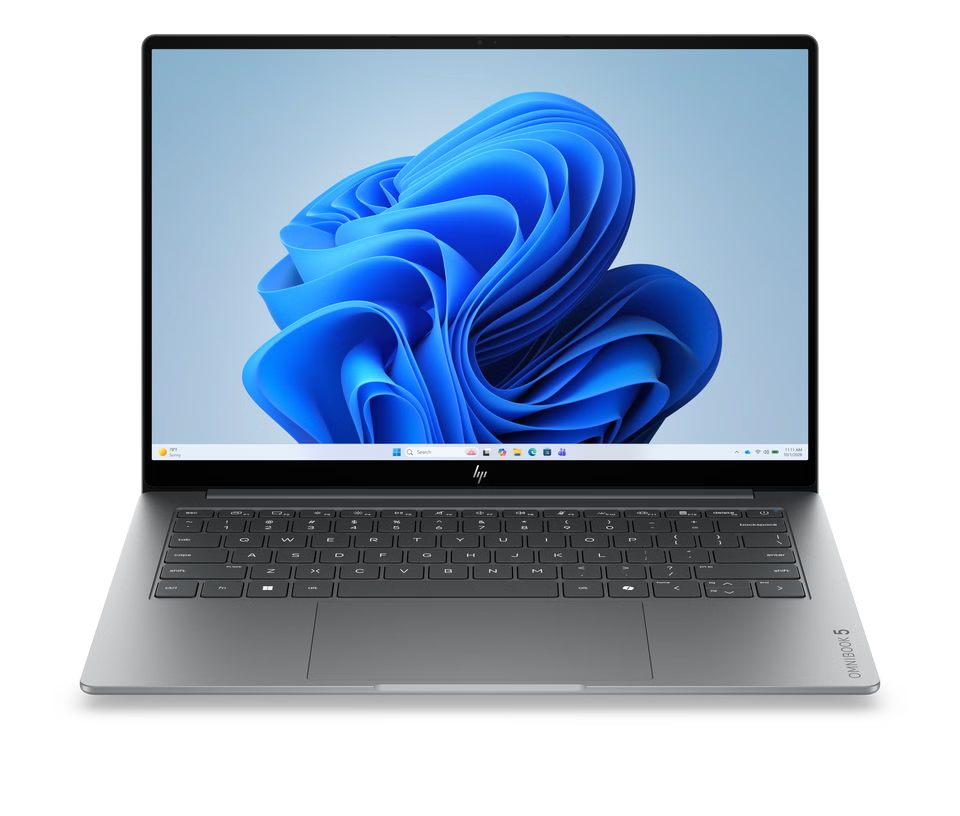
The HP OmniBook 5 LaptopAI 14-mh0040nlx is another 14-inch option, while the HP OmniBook 7 Aero 13-bg1004nl offers a smaller screen size in the same broad product family. The right comparison depends on current configurations: review the exact CPU, display, memory, storage, weight and charger inclusion for each listing. HP may update individual SKUs, so use the full product codes rather than assuming all OmniBook 7 or OmniBook 5 models share the same equipment. For a direct reference point, open the 14-fr00004nlx product specifications alongside those alternatives.

Avoid choosing by processor tier alone. Display size, the camera you need, chassis material, connector selection and warranty can have a greater day-to-day effect than a small specification difference. For a reader who frequently presents or works on video calls, this configuration’s screen and camera may justify checking it first. For basic study or email, comparing the current price and the less expensive family options may lead to better value. The HP OmniBook 7 product page is the reference for this specific model’s current set of features.
Frequently asked questions
Does the HP OmniBook 7 14-fr00004nlx include a charger?
The Italian product page says the charger is sold separately. Check the included accessories section and make sure you have a compatible power adapter before ordering.
Is the listed configuration suitable for video calls?
HP lists a 5 MP IR camera with face recognition and HDR, Poly Camera Pro and digital microphones with noise reduction. Those features suit frequent calls, while room lighting and network quality still affect the result.
Can it replace a gaming or creative workstation?
The listed configuration uses integrated Intel graphics. It can cover everyday productivity and media use, but buyers with demanding 3D, video-rendering or gaming needs should compare a model with graphics hardware designed for those workloads.
Our recommendation
We recommend the HP OmniBook 7 14-fr00004nlx for mobile professionals, students and home workers who will use its 3K 16:10 screen, video-call features and broad selection of ports. Its clear feature set and included three-year warranty make it a well-rounded work-oriented configuration on paper.
Its limit is equally practical: integrated graphics narrow its appeal for demanding creative or gaming work, and the charger is an extra item to account for. Compare the current specification, warranty and accessories on the Italian HP Store product page before deciding whether its screen and camera are worth prioritizing for your routine.